AI Disclaimer Link to heading
This tool was generated using Claude. The outputs from the tool were manually verified against existing tooling, then tested on a physical device before deployment.
Where this project started Link to heading
The remote monitoring stack I manage utilises LTE modems which are connected to the device to be monitored.
Each modem must be manually configured and tested before being shipped to site. Having a standardised configuration provides consistent troubleshooting steps if a device doesn’t work as planned.
Existing hardware Link to heading
We previously utilised Teltonika modems as they provide a wide input Voltage range, options for 2 or 4 ethernet ports, reliable LTE modem and configurable connection watchdog.
Our engineers configured the Teltonika devices manually using the web configuration wizard then more manual setup. By the time firmware updates and testing were completed, it took around 2 hours per device to configure. The setup process was often difficult with random device reboots and interface IP address changes.
MikroTik Embedded LTE4 Link to heading
MikroTik recently launched a new product in the KNOT range. The device has only a single ethernet port, but shares many of the advantages of the Teltonika: a wide range of power options, connection watchdog and a reliable LTE modem.
The MikroTik also has a big bonus: command-line configuration.
A downside, the MikroTik product doesn’t feature RS485, which is an option on the Teltonika RUT956. RS485 is helpful for communicating with industrial electrical meters, Solar PV inverters and SCADA interface.
Configuration program Link to heading
To make the modem configuration as efficient as possible, a base configuration was created. This includes:
- A standardised firewall setup,
- LTE APN configurations,
- SNMP community and access list,
- Connection watchdog settings.
There are a number of areas that must be changed, including:
- LTE PAP username,
- Bridge IP address,
- Device identifier,
- DHCP server & pool.
To make the configuration simple, a browser based tool was created using Claude containing an integrated list of devices containing the SIM ID, the WAN IP assigned to that SIM and the first LAN address. It’s also possible to input a ‘csv’ file or manual list.
The tool then outputs a standard configuration, with the substituted values included, ready to be copied into a new device.
A helpful addition at the bottom of the tool is a label preview for our engineers, containing the information required to be included on the hardware for identification. This is be a great reminder when completing multiple configurations per day as it’s easy to lose track of which device you’re working on.
Mockups Link to heading
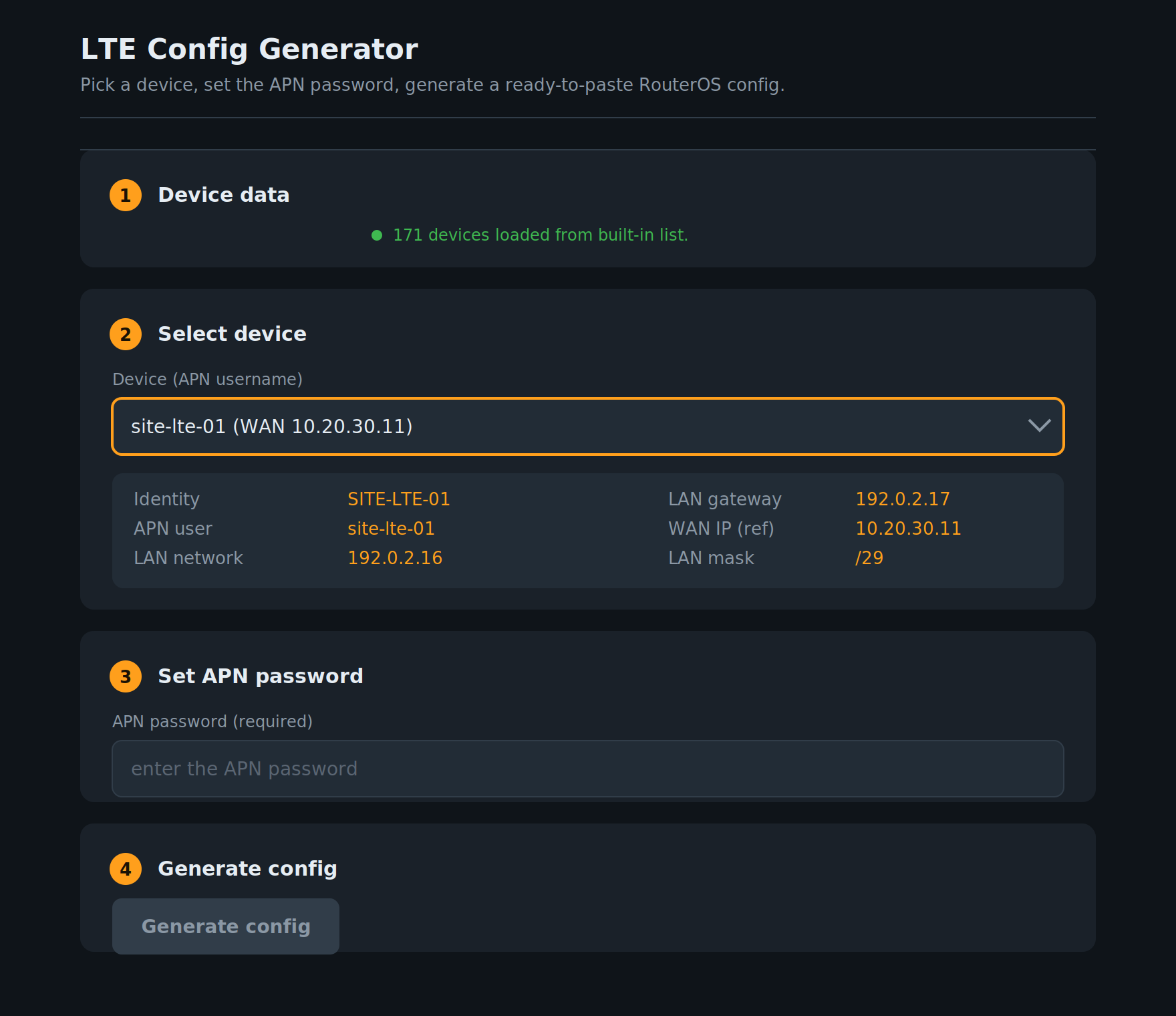
Device selection & APN password input
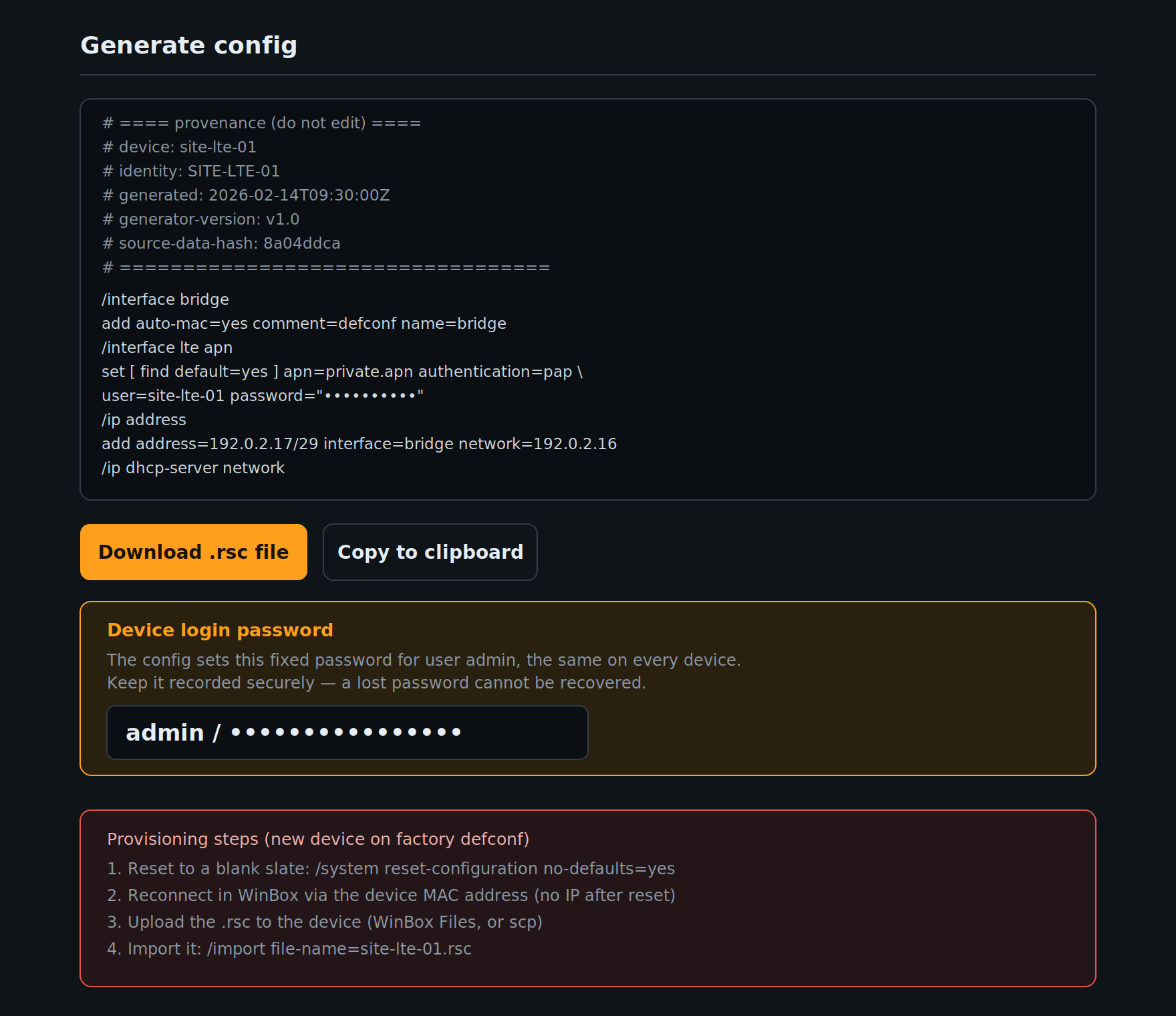
Generated configurations and steps for engineers
Testing & Challenges Link to heading
Outputs from the tool were verified against the initially generated configuration, then uploaded to the device.
Challenges Link to heading
- Our SIM cards are on a Private APN, so only allow access within our network. This prevents internet access for firmware updates. A second SIM is required for updates, then swapped back. In future we may look to host the firmware updates locally.
- The watchdog will randomly reboot while configuring the device if it’s unable to reach the remote server. This makes setup challenging in low signal areas. We can omit this line initially then insert it at the end of testing.
Final result Link to heading
Configuration is now less error prone, requires less information input from other team members and is much quicker overall - from this point of view it has been a success.
AI ‘development’ thoughts Link to heading
This has been a good initial evaluation of AI tools by building a script from a text prompt. It was quick to do, saving me around two day’s work to build it, however it still took a lot of effort to test the outputs. This testing needs to be repeated after every code change, so it’s quite tedious.
The backend code has not been verified, however as the tool is used by trained engineers only, we can confirm any errors in the output quickly and provide updates - I don’t feel like this is much different to an Excel tool.
I’m going to continue trailing builds like this with AI where I can save time, but it remains to be seen if my own skills will develop or if skill fade will occur. This alongside the monetary cost, environmental cost and the risk of an unsustainable ‘AI bubble’ will dictate a lot of how future development is completed.