While experimenting with BGP using Mikrotik Cloud Hosted Routers (CHR) on low-power, shared X86 hardware, it became apparent that CPU usage was an issue with full feeds.
Before Link to heading
The router was handling approximately 420-thousand IPv6 routes on a single CPU. When I tried to view the routes in WinBox or SSH, the CPU would go to 100% and remain there, leaving the router unresponsive until rebooted.
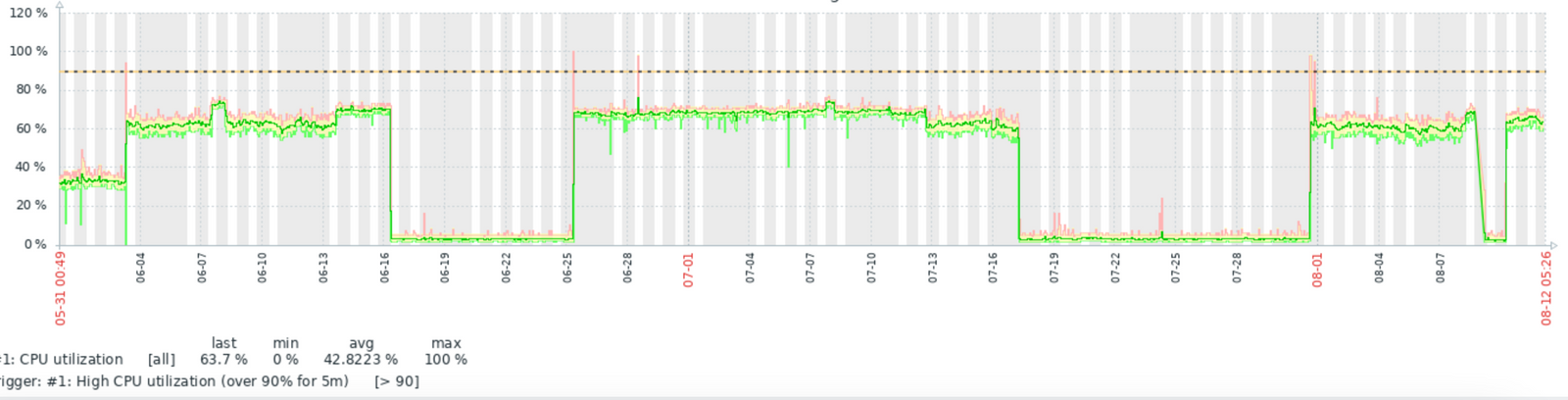
Persistent high CPU usage
I finally stumbled onto an answer with .affinity. Refer to Mikrotik documentation.
By using input.affinity=main & output.affinity=main, I was able to resolve this issue which had annoyed me for a year.
Configure input multi-core processing. Read more in Routing Protocol Multi-core Support article.
- alone - input and output of each session are processed in its own process, most likely the best option when there are a lot of cores and a lot of peers
- afi, instance, vrf, remote-as - try to run input/output of new session in process with similar parameters
- main - run input/output in the main process (could potentially increase performance on single-core even possibly on multi-core devices with a small amount of cores)
- input - run output in the same process as input (can be set only for output affinity)
After Link to heading
With full feeds of IPv6 and IPv4 totalling 1.34 million routes, I can filter and search without pegging the CPU.

Total of 1,344,029 BGP routes
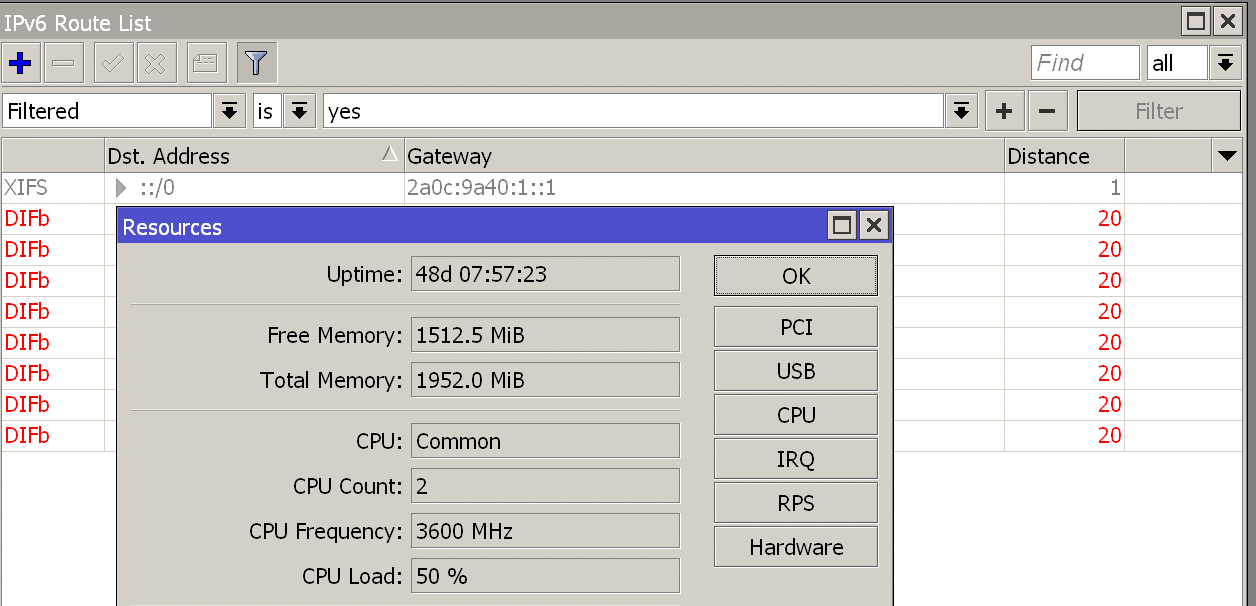
50% CPU load during route list filtering